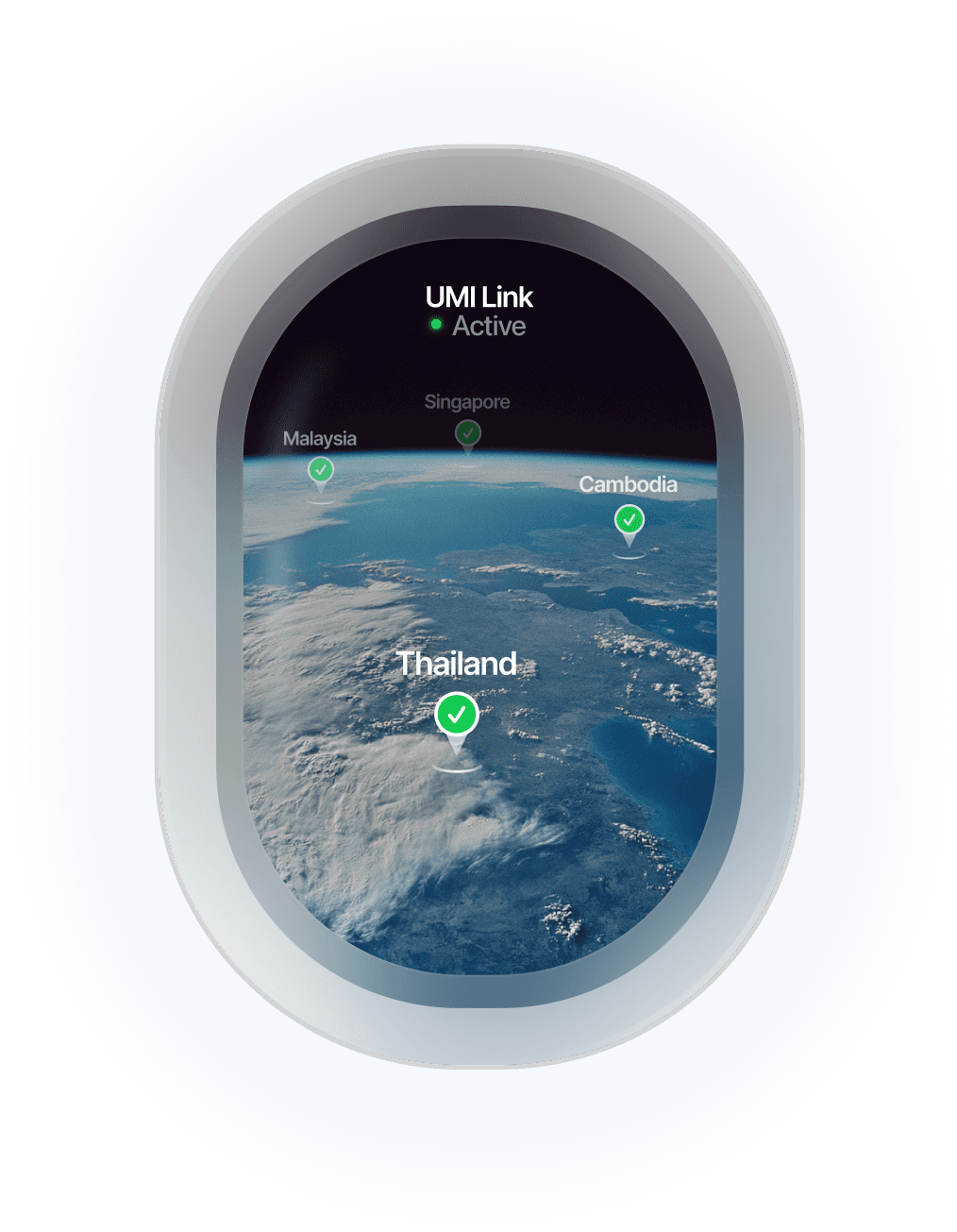
Best eSIM for Thailand: How Much Data You Need and What It Costs
Written By:
Umi

You clear immigration at Suvarnabhumi, and the first thing you want is Grab and Google Maps working before the taxi rank. The best eSIM for Thailand gets you online in that first minute, without a SIM counter, a passport photocopy, or a plastic SIM you throw away in three weeks. Umi's Universal eSIM installs once, runs on AIS with 5G, and bills against a Flow balance that never expires. This guide covers how much data a Thailand trip really needs and what it costs.
Quick answer: For most visitors the best eSIM for Thailand is one you install before you fly, that runs on a strong local network, and that does not waste what you do not use. Umi's Thailand eSIM does all three: one Universal eSIM for the whole trip and beyond, AIS 5G coverage, and a Flow balance that never expires, so leftover data follows you to your next country.
What is the best eSIM for Thailand?
The best eSIM for Thailand is the one that connects you on arrival, stays reliable from Bangkok to the islands, and does not punish you for guessing your data wrong. Thailand has excellent mobile coverage in cities and tourist areas, so the real differences between eSIMs are convenience, network, and what happens to unused data. Umi installs in under 60 seconds, runs on AIS with 5G, and draws from a Flow balance with no expiry date.
That last point matters more in Thailand than in most places, because trips here run long. A two week beach holiday, a month of island hopping, or a Bangkok stopover on the way to Japan all have different data needs, and a fixed bundle forces you to guess up front. With Umi you can add a Plan for the heavy weeks and let the Flow balance cover the rest, and anything left is still there for your next trip.
Is it worth getting an eSIM for Thailand?
Yes, for almost every visitor. Thailand's local SIM cards are cheap and good, but buying one means a queue at the airport counter and passport registration, and the SIM only works in Thailand. An eSIM you install at home skips all of that: you land connected, keep your home SIM in place for calls and banking codes, and carry nothing extra.
The Tourism Authority of Thailand notes that prepaid SIMs from the three main carriers need passport registration at purchase, and that free WiFi at Suvarnabhumi runs for up to two hours a day. That is fine for a quick message, but not for Grab, Maps, and translation on the move. An eSIM covers the gaps from the moment you switch off flight mode. To check that your phone supports it, see our guide to eSIM-ready phones.
Which SIM card is best for a tourist in Thailand?
For most tourists a travel eSIM beats a physical tourist SIM, and the choice comes down to how you value convenience against a local phone number. A local SIM from AIS, dtac, or TrueMove H gives you a Thai number and cheap data, at the cost of a counter visit and paperwork. A travel eSIM gives you data on the same networks with nothing to collect or return.
Option | Setup | Network | Works outside Thailand | Unused data |
|---|---|---|---|---|
Umi Universal eSIM | Install at home in under 60 seconds | AIS with 5G | Yes, 200+ destinations on the same eSIM | Flow balance never expires |
Local tourist SIM | Airport or shop counter, passport registration | Local carrier | No | Expires with the SIM |
Pocket WiFi rental | Collect and return a device | Local carrier | Usually no | Nothing carries over |
If you need a Thai number for a local booking or a delivery app, a local SIM still wins, and you can run it alongside Umi on a dual SIM phone. If you want data that just works, from the taxi to the ferry pier, the eSIM is the simpler choice. We compare the rental option in detail in pocket WiFi vs eSIM, and Umi's own comparison with the AIS tourist eSIM covers the local carrier route.
How much data do you need for Thailand?
Most travellers need less than they fear, but Thailand trips are long, so the total adds up. Hotels, cafés, and malls have free WiFi, and your eSIM mainly covers maps, ride hailing, messaging, and photos on the go. A rough guide by trip length:
Traveller type | Typical daily use | Two weeks | Four weeks | Best Umi option |
|---|---|---|---|---|
Light: maps, chat, Grab, the odd search | ~0.5GB/day | 5 to 7GB | 10 to 14GB | 5GB or 10GB Plan, or a Flow top-up |
Moderate: maps, social, some video | ~1GB/day | 10 to 14GB | 20 to 28GB | 10GB or 20GB Plan |
Heavy: streaming, hotspot, video calls | ~2GB+/day | 20 to 28GB | 40 to 56GB | 20GB or 50GB Plan |
These are estimates, not promises. Island WiFi is patchier than Bangkok WiFi, and a hotspot for a laptop burns through data fast. The safe move is to start moderate. With Umi you are not locked in: if a Plan runs out you fall back to your Flow balance rather than to no signal, and you can top up in the app in seconds.

How much does a Thailand eSIM cost with Umi?
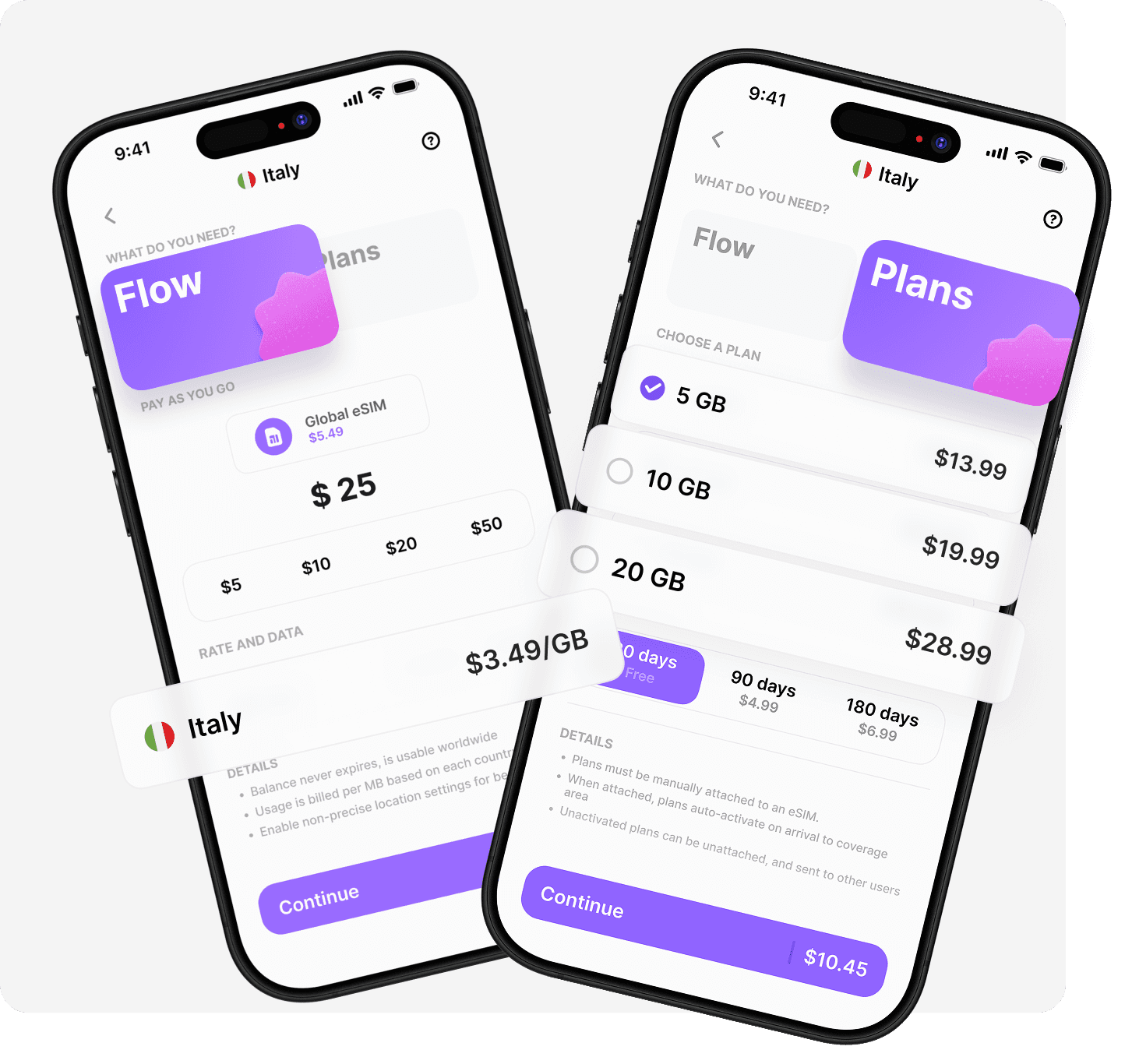
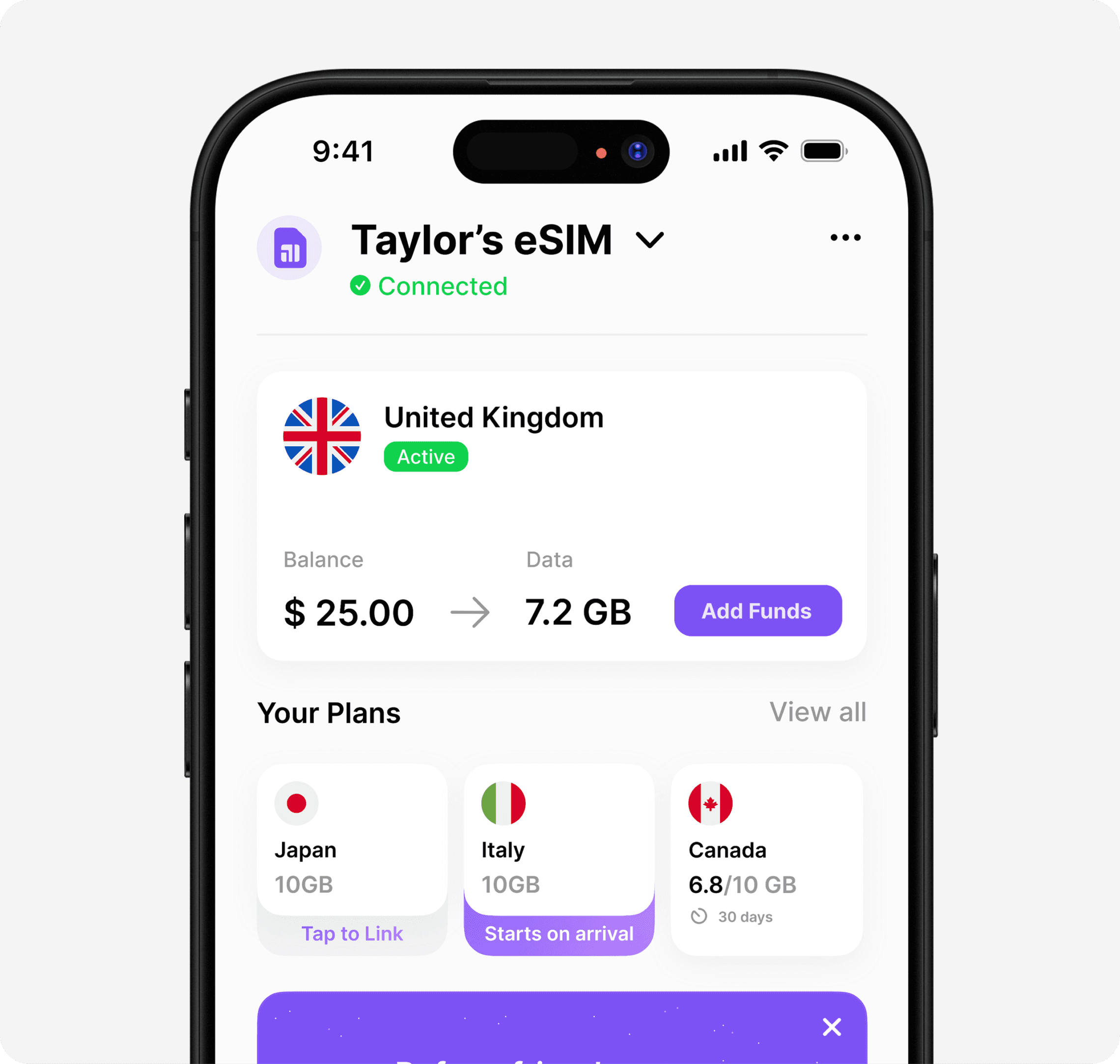
Umi gives you two ways to pay, and you can combine them. Flow is pay-as-you-go: you top up a balance and draw it down as you use data, and the balance never expires. Plans are fixed prepaid bundles that work out cheaper per GB, with a validity window of 30 days or more, and they take priority over your Flow balance while active.
Option | Price | Per GB | Notes |
|---|---|---|---|
Flow (pay-as-you-go) | $2.55/GB | $2.55 | Balance never expires, carries between trips |
5GB Plan | $10.95 | $2.19 | Light use, two weeks |
10GB Plan | $18.95 | $1.90 | Light use for a month, or moderate for two weeks |
20GB Plan | $30.95 | $1.55 | Popular; moderate use for a month |
50GB Plan | $55.55 | $1.11 | Heavy use, long stays, or sharing to a laptop |
All prices are in USD and were taken from the live Thailand eSIM page on 24 September 2026; that page is the source of truth for the current rate. Plans only work within their coverage area and must be linked to your eSIM manually. Flow is the flexible fallback that keeps working wherever you go next, whether that is Vietnam, Japan, or home.
Does a Thailand eSIM work on 5G, and which network is it?
Umi's Thailand eSIM runs on AIS with 5G where the network provides it, and the connection is never throttled, so speed depends on the local mast rather than a fair-use cap. AIS is one of Thailand's three main carriers, alongside dtac and TrueMove H.
In practice, expect 5G in the cities and on newer towers, and 4G on most beaches and ferry routes. Deep jungle and some smaller islands drop to weaker signal for every provider, so download offline maps for treks. Hotspot and tethering are unlimited on Umi, meaning there is no separate cap on sharing your connection to a laptop or a partner's phone, though that sharing still draws from your balance or Plan. For a technical primer on how an eSIM works, see GSMA's eSIM explainer.
Is Airalo or Holafly better for Thailand?
Both are credible options, and in Thailand's strong network environment most eSIMs give a decent signal. The real differences are in how they price data and what happens to what you do not use. Airalo sells a separate eSIM per country with data that expires on a set date, so a Thailand and Japan trip means two purchases. Holafly sells unlimited day-based plans, but unlimited is not uncapped: those plans throttle speed after a fair-use cap of roughly 1GB to 3GB per day, and hotspot sharing is limited. Saily leans on a budget price and built-in security, and as a newer entrant has thinner rural coverage.
Where Umi stands apart is the combination: one Universal eSIM instead of a new one per country, premium 4G/5G that is never throttled, and a Flow balance that never expires so nothing you buy goes to waste. If you are doing one short, heavy-use trip and want a big daily allowance, a throttled unlimited plan can suit you. If you travel more than once, cross borders, or hate paying for data you never use, the never-expiring balance is the deciding factor. For the wider comparison across providers, see our guide to the best travel eSIM.

Can I still use WhatsApp with an eSIM in Thailand?
Yes. WhatsApp, Line, and every other messaging app run over data, so they work on your Umi eSIM exactly as they do at home, on your existing number. Your home SIM stays in the phone for calls and SMS, including bank verification codes, while the Umi line carries the data.
Umi is data-only, so you do not get a Thai phone number, and voice and SMS on the Umi line are coming soon rather than live. For most visitors that changes nothing: Grab, hotel bookings, and restaurant reservations run through apps, and WhatsApp or FaceTime calls run over data. The one case where a local number helps is registering with a Thai service that texts you a code, and a dual SIM phone can run a local SIM for that beside Umi.
How do you set up a Thailand eSIM?
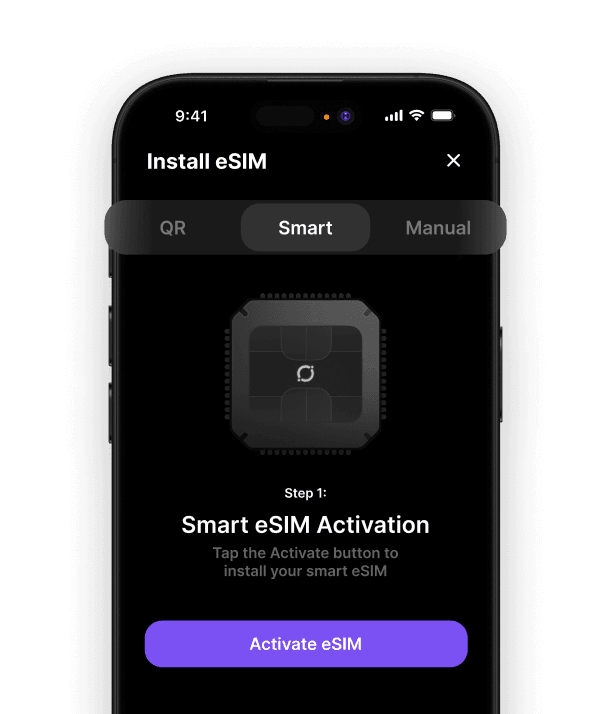
Setup takes under a minute in the Umi app, and you can do it at home before you fly:
Check your phone supports eSIM (most models from the last few years do).
Download the Umi app and create an account.
Install your Universal eSIM, which takes under 60 seconds.
Top up a Flow balance, or add a Thailand Plan that fits your trip length.
When you land, switch on data roaming for the Umi line, and you are connected.
There is no QR code to scan per country and no profile to delete later. If Thailand is one stop on a longer trip, the same eSIM carries on to Vietnam, Malaysia, or Japan without a new install, and our best eSIM for Japan guide covers that leg. For step-by-step help, Umi's setup guides walk through both iPhone and Android.
The best eSIM for Thailand, in one line
For most visitors the best eSIM for Thailand is one that installs before you fly, runs on AIS 5G, and never wastes the data you paid for. Umi's Universal eSIM does all three, and the Flow balance follows you to your next country instead of expiring on the flight home. Start moderate, top up if the islands eat more than you expect, and keep whatever you do not use.
Ready to land connected? Install your Universal eSIM and top up your Flow balance before you fly.












" height="15.96587083656648px" id="gUt8q3MIs" width="13.557999603271485px"/></svg>)