Airalo eSIM Not Working or Stuck on Activating: Every Fix
Written By:
Umi

An Airalo eSIM that is stuck on "Activating", says the code is no longer valid, or installs fine and then refuses to pass any data is almost always fixable in a few minutes, and almost never by deleting the eSIM. This guide collects every common failure in the order people hit them, from the verification email that never arrives to the data that stops working mid-trip, with the fix for each. The steps are drawn from Airalo's own help pages and from the questions readers bring to this page, and they work on iPhone and Android. One rule before you start: do not remove the eSIM. Airalo's eSIMs usually cannot be reinstalled, so deleting one to "start again" normally means buying another.
Quick answer: "Activating" is normal until you land; it clears when the phone sees a supported network at the destination. "This code is no longer valid" usually means the eSIM is already installed: check Settings, General, About for its ICCID before doing anything else. No data after activation is nearly always one of four settings: the Airalo line not selected for mobile data, data roaming off for that line, the wrong network chosen, or a missing APN. If a fix needs more than this list, Airalo's chat is open 24/7, and if you decide you want an eSIM you can reinstall and a balance that does not expire, Umi's Universal eSIM is at the end of this page.
Why is my Airalo eSIM stuck on activating?
Because you have not arrived yet. Airalo's own help page says the "Activating" status usually appears when the eSIM is installed but you are not in the destination yet; the profile is fully installed and the status changes when the phone connects to a supported network inside the coverage area. Most Airalo packages activate on first connection at the destination, and the validity clock starts then, so an eSIM showing "Activating" at home is behaving correctly.
If you are already at the destination and it still says activating after a few minutes, work down this list, checking after each step: turn on the Airalo line in Settings and select it for mobile data; turn data roaming on for the Airalo line only; toggle flight mode on for ten seconds and off again; pick the network manually from the list on your Airalo installation page rather than letting the phone choose; restart the phone. If it is still stuck after a restart on the right network, the problem is usually coverage or the eSIM's activation window, and that is a support conversation.
What does "Installation interrupted" mean on an Airalo eSIM?
It means the download of the profile was cut off, normally by a weak WiFi connection or a VPN, before the phone finished writing it. The trap is that the profile may have installed anyway. Before scanning again, check whether it is there: on iPhone, Settings, General, About, scroll to the bottom and look for a line with an ICCID, and check Settings, Mobile Service (or Cellular) for a new line; on Android, Settings, Connections or Network, SIM manager. If the line exists, the interrupted install succeeded and you only need to turn it on. If it does not exist, connect to a strong WiFi network, turn off any VPN, and install again, by QR code if you used the direct install the first time or the other way round. Airalo's advice for a failed install is the same list: no VPN, a stable connection, remove eSIMs you no longer use, update the phone, and try a different install method.
Why does Airalo say "This code is no longer valid"?
Two causes, and the first is far more common. Airalo's help page says the error appears when you are trying to add an eSIM that has been added before, or when a QR code was only partly scanned on a weak connection. Airalo QR codes are single use: once the profile has been written to a phone, the code is spent, and scanning it again produces this message rather than a second copy. So the first check is the same as above: is the eSIM already installed? Look for its ICCID and its line in Settings. If it is there, the "error" is just the phone refusing a duplicate, and the fix is to turn the line on and select it for data.
The second cause is the one that costs money. If you deleted the eSIM and are trying to reinstall it, the same help page is blunt: it will not be possible. Airalo's general policy is that eSIMs typically can't be reinstalled; only some packages allow it, marked in the package's additional information, and the app offers a "Deleted your eSIM?" option that checks whether yours is one of them. If it is not, you will be offered a replacement or told to contact support. This is why every fix on this page stops short of deleting anything.
Why is the Airalo verification email not arriving, and what is error 429?
The verification code goes to the email address on the account, and the usual reasons it does not arrive are the usual email reasons: it is in spam or a promotions tab, the address was typed with a mistake, or a corporate mail filter held it. Check those first, and allow a few minutes before requesting another.
Error 429 is the thing that happens when you do not wait. It is the standard web response for "too many requests", and Airalo returns it when the same account or device asks for a code too many times in a short window. The fix is to stop requesting, wait, and try once more; thirty minutes is usually enough, and switching from the app to the website (or the reverse) on a different connection often clears it sooner. Requesting again while the limit is active resets the timer. If the app itself will not load, the same applies: close it, wait, reconnect on WiFi, and open it once.
Airalo eSIM activated but no data: the four settings to check
This is the most common "Airalo not working" case, and the data is almost always one toggle away. Airalo's checklist runs through installation, line selection, flight mode, APN, roaming, network selection, other SIMs, network mode and restart; in practice these four catch nearly everything.
Setting | iPhone | Android | Why it matters |
|---|---|---|---|
Line selected for mobile data | Settings, Mobile Service, Mobile Data: choose the Airalo line | Settings, Connections, SIM manager: set Airalo as the mobile data SIM | The phone is still trying to use your home SIM for data |
Data roaming on for the Airalo line | Settings, Mobile Service, tap the Airalo line, Data Roaming on | Settings, Connections, Mobile networks, Data roaming on for the Airalo SIM only | Travel eSIMs are technically roaming; without it the line connects but passes no data. Roaming on the Airalo line does not add charges |
Network selected | Settings, Mobile Service, Airalo line, Network Selection: turn Automatic off and pick the network named on your Airalo installation page | Settings, Connections, Mobile networks, Network operators: choose manually | The phone can latch on to a local network the package does not support |
APN | Usually automatic on iOS; if not, Settings, Mobile Service, Airalo line, Mobile Data Network: copy the APN from the installation page | Settings, Connections, Mobile networks, Access Point Names: add or select the APN from the installation page | A missing or mistyped APN is the single most common cause of "connected but no internet" and of the PDP authentication failure message |
After changing any of these, toggle flight mode on and off. If 5G is showing but nothing loads, drop the network mode to 4G/LTE. If you have another SIM active, temporarily disable it, since a second line can hold the data path. And check the balance in the Airalo app: a package that has run out or expired looks exactly like a broken one.
"PDP authentication failure" is the same problem with a scarier name. Airalo's page on it points to an incorrect or missing APN, an empty balance, or the wrong network, and suggests resetting network settings (Settings, General, Transfer or Reset, Reset Network Settings on iPhone; it wipes saved WiFi passwords) as the last step before support.
"Unable to activate eSIM" and "could not activate cellular data network" on iPhone
These come from iOS rather than Airalo, and the causes are the phone's. Airalo's list is the right one: the eSIM may already be installed (check Settings, Mobile Service); the phone had no internet during activation (it needs a connection to validate the profile); a temporary glitch (restart); iOS is out of date (Settings, General, Software Update, after a backup); the phone is carrier-locked (Settings, General, About, Carrier Lock should say "No SIM restrictions", and if it does not, only your home carrier can unlock it); or a VPN or device-management profile is interfering (Settings, General, VPN and Device Management; remove anything you do not recognise). "Could not activate cellular data network" after the eSIM is installed is almost always the APN or roaming setting from the table above.

When should I contact Airalo support, and what should I send?
Once you have done the list above on the right network and the eSIM still shows activating or passes no data, or if the app says the eSIM is installed but the phone cannot find it. Airalo's chat runs 24 hours a day from the app and the website. Send the ICCID from Settings, the exact error text, the network you are connected to, a screenshot of the line's settings showing data roaming on, and what you have already tried; that skips the first three replies. Do not delete the eSIM while you wait, however tempting, because support can reissue a package far more easily than it can revive a removed profile. If a package was never usable, refund requests have to be made within 30 days and are investigated before approval.
How do I stop this happening on the next trip?
Install at home on good WiFi and leave the eSIM switched off until you land, so "Activating" is the only status you ever see. Screenshot the installation page with the APN and supported network before you fly. Turn data roaming on for the travel line and off for your home line. And never delete a travel eSIM to fix it unless the provider has confirmed, in writing, that it can be reinstalled.
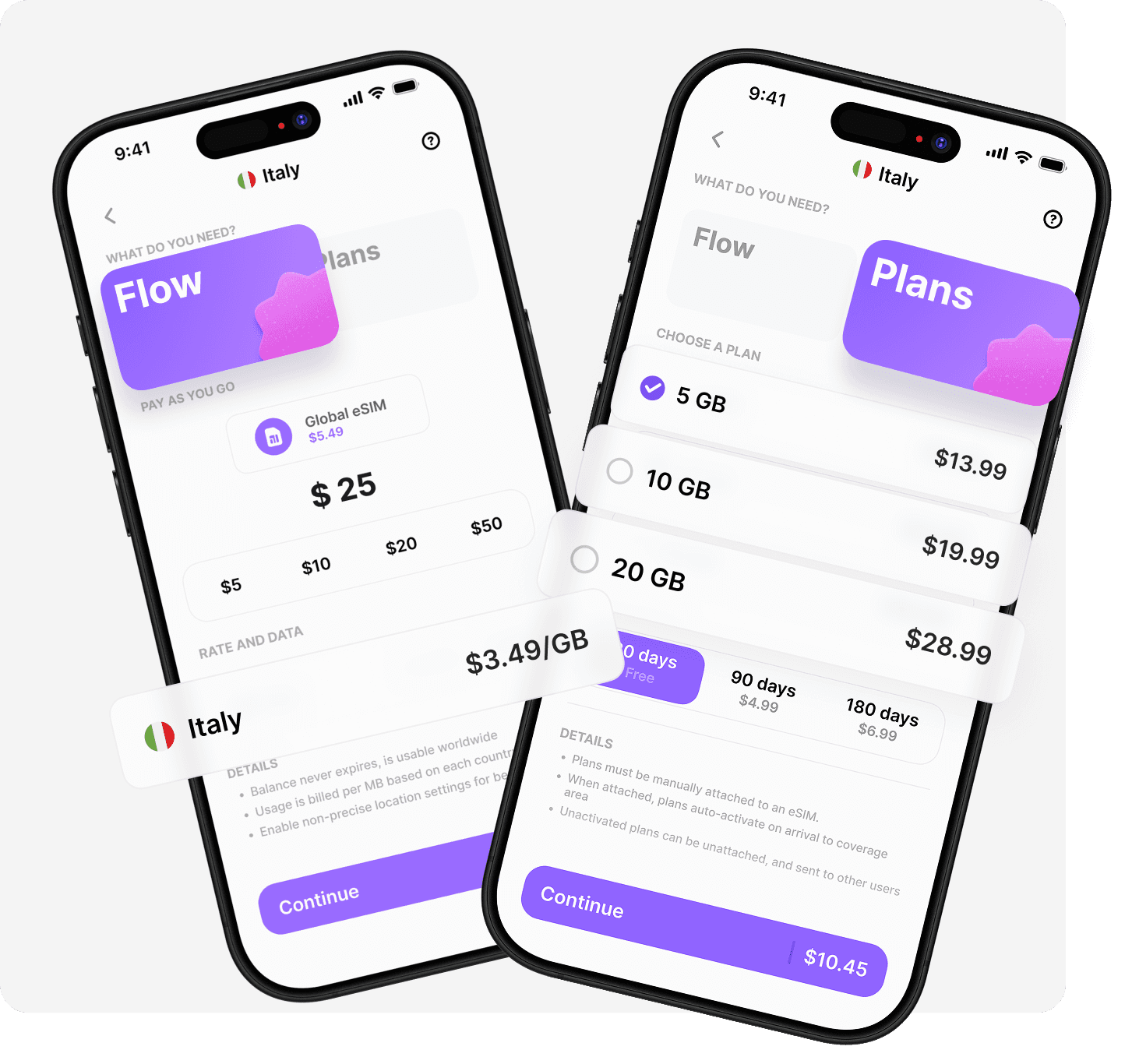
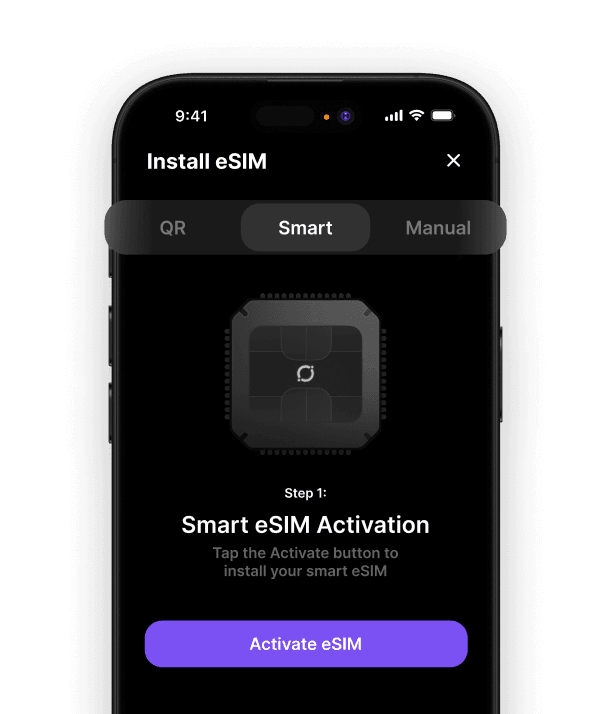
The last point is the one that makes people switch provider. Umi's Universal eSIM is installed once, in the app, in under 60 seconds, and it can be reinstalled from the app if it is ever removed, so there is no single-use QR code to lose. It works in 200+ destinations without a new eSIM per country, and the balance is pay as you go from $2.55/GB and never expires, so a trip that ends early does not throw data away; our guide to eSIM data that never expires explains the economics. If you are weighing a move, Airalo vs Holafly compares the two biggest names on price and daily caps, and our Airalo alternative guide walks through the switch, with the best travel eSIM comparison for the wider field.
Fixed it for this trip but want one you can reinstall next time? Install your Universal eSIM before you fly.












" height="15.96587083656648px" id="gUt8q3MIs" width="13.557999603271485px"/></svg>)