eSIM Abroad Guide: Unlock Seamless Travel in 2026
Written By:
Umi
TL;DR: Why eSIMs Revolutionize Travel Connectivity
eSIMs, embedded in devices, enable instant network connectivity without physical SIM cards, allowing travelers to switch plans easily while avoiding roaming fees.
With support from over 90% of devices by 2026, eSIMs offer the flexibility to manage multiple carrier profiles, with benefits including cost savings up to 80% compared to traditional roaming.
Preparation involves selecting compatible devices and plans, installing eSIM profiles before departure, and leveraging dual SIM capabilities for seamless communication.
Top providers like Umi offer extensive global coverage with convenient management through apps, promising a hassle-free international experience for modern travelers.
Imagine arriving in a new country, turning on your phone, and connecting instantly—no searching for SIM cards or stressing about roaming fees. This is the promise of e sim abroad. With digital SIM technology changing the way we travel, staying connected has never been easier or more convenient.
In this 2026 guide, we’ll show you how to use eSIMs for seamless connectivity anywhere in the world. You’ll discover what an eSIM is, how it works for travel, step-by-step setup, choosing the right plan, device compatibility, helpful FAQs, and expert tips for worry-free adventures.
Ready to make your next trip smoother and stress-free? Let’s unlock the future of travel with e sim abroad together.
What is an eSIM and Why It’s a Game-Changer for International Travel
Picture this: you land in a new country, and instead of hunting for a SIM card kiosk, you connect instantly. That’s the magic of e sim abroad, a technology that’s changing the way we travel and stay connected. Let’s break down what makes eSIMs so revolutionary for globetrotters in 2026.
Understanding eSIM Technology
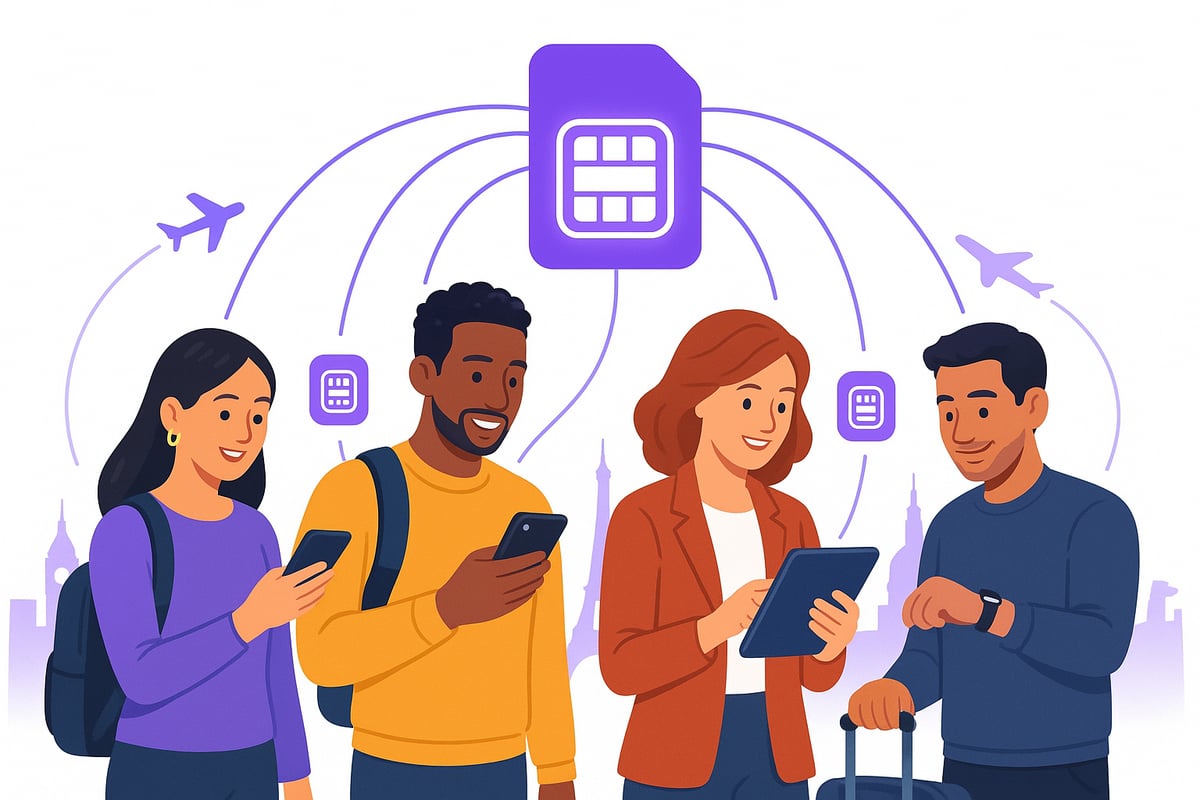
An eSIM, or embedded SIM, is a digital version of the traditional SIM card. Instead of a tiny piece of plastic you insert into your phone, an eSIM is built directly into your device’s hardware. This means you can download and store multiple carrier profiles without ever swapping cards.
With e sim abroad, travelers can switch networks or data plans on the fly, making it incredibly flexible for those bouncing between countries. Security is also improved because digital SIMs are harder to lose or steal. By 2026, over 90% of new smartphones and tablets support eSIM, making it the go-to standard for global connectivity.
This rapid adoption is driven by the need for convenience, especially for international travelers who want to avoid the hassle of physical SIM swaps or hunting for local stores.
eSIM vs. Physical SIM: Key Differences
Let’s compare: physical SIMs are small plastic chips you must physically swap out when changing carriers or countries. In contrast, eSIMs are digital, letting you activate or switch plans remotely via an app or QR code.
With e sim abroad, you can store multiple plans at once, making it easy to manage connectivity as you cross borders. Many devices support dual SIM mode, so you can keep your home number active for calls and texts while using a local data plan for the internet.
Imagine this: a traveler moves from the US to Europe, taps a few buttons, and instantly switches to a local plan—no need for store visits or tiny tools. The convenience and flexibility are game-changers for modern explorers.
Feature | Physical SIM | eSIM (Embedded SIM) |
|---|---|---|
Swap required | Yes (manual) | No (digital/remote) |
Multi-country | 1 at a time | Multiple profiles |
Activation | In-store/manual | QR code/app/online |
Top Benefits of Using eSIMs Abroad
Traveling with e sim abroad brings a host of benefits. First, you save money by avoiding expensive roaming fees and accessing local rates. Setup is instant—you can activate your eSIM before you even step off the plane.
Coverage is flexible, whether you need a single-country, regional, or global plan. Switching between plans is a breeze, ideal for multi-country journeys. Use your eSIM across phones, tablets, smartwatches, and even laptops. Plus, you can keep your primary number active for calls and texts.
According to recent insights, eSIM users can save up to 80% compared to traditional roaming. For a deeper dive into the advantages, check out this helpful overview on eSIM benefits for international travelers.
With these perks, it’s clear why e sim abroad is becoming the preferred choice for seamless, stress-free travel.
How eSIMs Work for Seamless International Travel
Traveling internationally should be exciting, not stressful. With e sim abroad solutions, you can jump straight into your adventure, skipping the usual SIM card hassles. Let's break down how easy it is to stay connected every step of the way.
Step 1: Choose an eSIM Provider and Plan
Start by selecting the right e sim abroad provider for your destinations. Research coverage, compare pricing, and look at data limits and plan durations. Some plans are country-specific, while others offer regional or global options.
Activation methods matter, too. Make sure your provider offers an easy setup, like via app or QR code. 24/7 customer support is a big plus, especially if you need help on the go. For deeper comparison, check out the Best eSIM for International Travel guide to see how top providers stack up. Choosing the right plan means less stress and more time for adventure.
Umi: The Smart Global eSIM for Effortless Connectivity
Umi is transforming the e sim abroad experience by offering a single eSIM that works in over 200 countries. You install Umi once, then use it everywhere—no more switching SIM cards or juggling multiple plans.
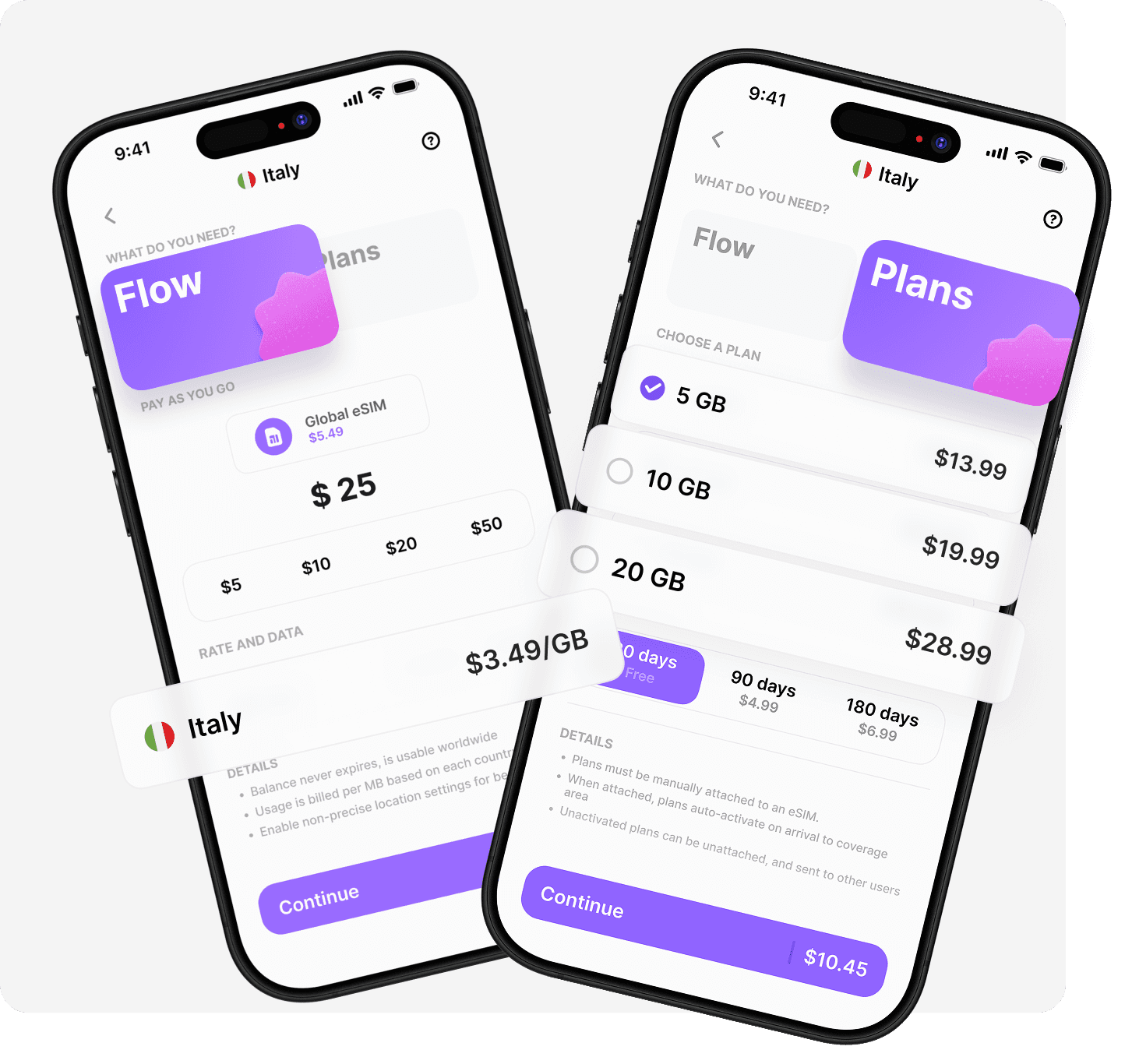
With Umi's Flow, you get a pay-as-you-go balance with no expiry, zero roaming fees, and no need to switch plans. Prefer set data amounts? Umi's prepaid plans (5–50GB) activate instantly when you land. Everything is managed through one easy app, making top-ups and monitoring a breeze. For families, teams, or digital nomads, Umi allows multiple devices and users. Travelers report saving up to 90 percent compared to standard roaming, making Umi a budget-friendly companion for your next trip.
Step 2: Purchase, Install, and Activate Your eSIM
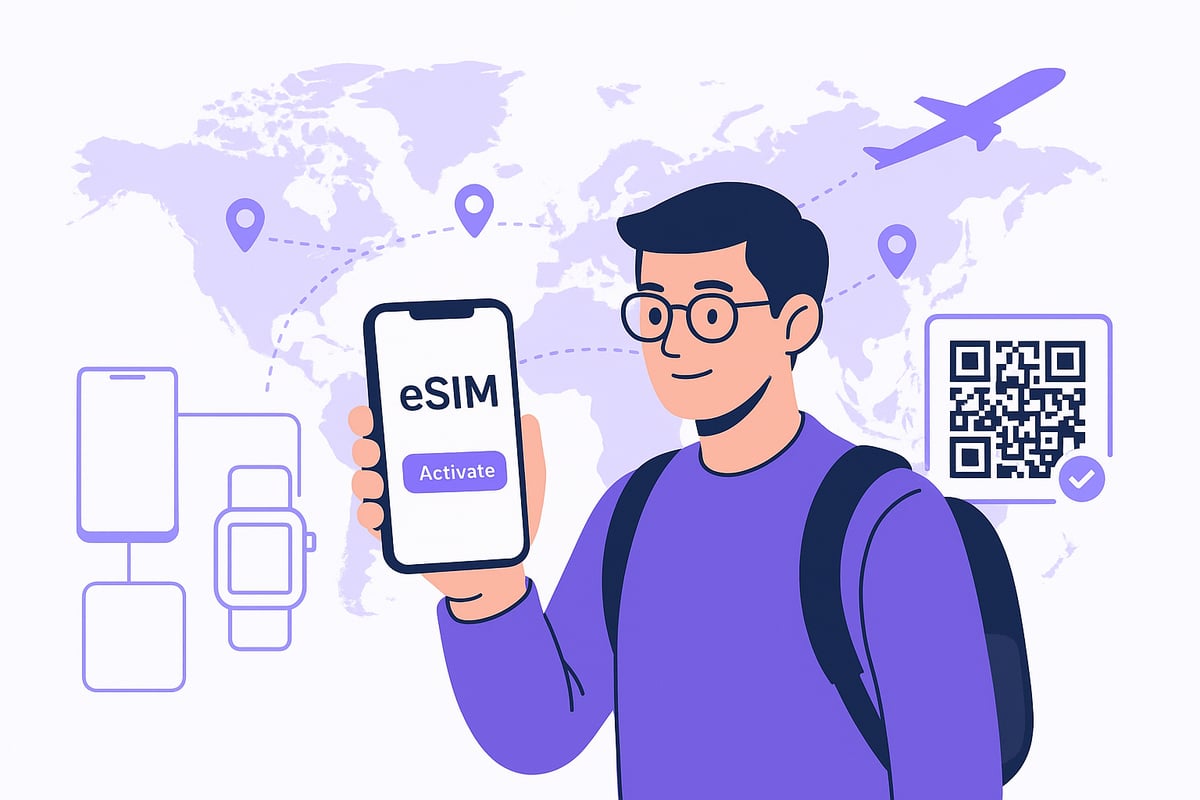
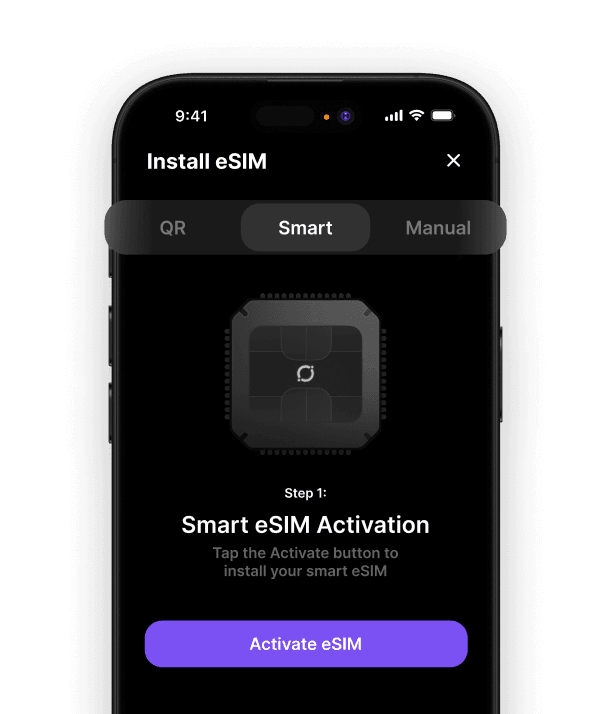
Once you pick your e sim abroad plan, purchasing is simple—just buy online or through the provider's app. You'll get your eSIM details instantly, usually as a QR code or activation code.
To install, open your device settings, scan the QR code, or enter the code provided. It's smart to pre-install your eSIM before you leave home, so you can connect as soon as you arrive. Activate the eSIM on landing to enjoy local networks right away. For example, many travelers receive their eSIM by email and install it on their iPhone before boarding their flight, ensuring they're ready to go.
Step 3: Use Dual SIM Features for Maximum Flexibility
Modern devices let you keep your regular SIM active for calls and texts, while using your e sim abroad for local data. Set your eSIM as the default data line to avoid roaming charges.
Switch between profiles for different regions as needed. This flexibility is especially useful for business travelers who need both their home and travel numbers active at once.
Choosing the Best eSIM Plan for Your 2026 Travels
Selecting the right e sim abroad can make or break your travel experience. With so many options for every type of traveler, it’s never been easier to stay connected, whether you’re exploring one country or hopping across continents. Let’s break down how to choose the perfect plan, estimate your data needs, and compare the top options for 2026.

Types of eSIM Plans: Single-Country, Regional, and Global
When planning to use e sim abroad, it’s important to match your plan to your travel style. There are three main types:
Plan Type | Best For | Coverage Example |
|---|---|---|
Single-Country | Staying in one country | Japan, France |
Regional | Visiting multiple neighboring nations | Europe, Southeast Asia |
Global | Multi-continent or round-the-world | 100+ countries |
Single-country plans are ideal for focused trips and usually offer the lowest rates. Regional plans are perfect for adventures across borders, like a rail journey in Europe. Global plans are a lifesaver if you’re hitting many destinations in one trip or want maximum flexibility. Many regional plans now cover up to 50 countries with a single eSIM, giving you options no matter your itinerary.
Factors to Consider When Selecting a Plan
Choosing an e sim abroad means looking beyond just price. Ask yourself:
How much data will you need for navigation, streaming, and work?
Does your trip length match the plan’s validity?
What network speeds are available (4G, 5G)?
Are prices transparent, with no hidden fees?
Can you use your plan as a hotspot for laptops or tablets?
For example, a 10GB regional plan for 30 days might be better value than a pay-as-you-go option if you’re traveling through several countries. Always check if the provider allows easy top-ups and real-time usage tracking, so you never get caught off guard.
How to Estimate Your Data Usage Abroad
Understanding data needs is key to choosing an e sim abroad plan that fits. Here’s a quick guide:
Light use (maps, email, messaging): 1-2GB/week
Social media and browsing: 3-5GB/week
Video calls and streaming: 5GB+/week
Most travelers underestimate data use, especially with maps and translation apps running in the background. Use your phone’s built-in tracker or a provider’s app to monitor real-time usage. It’s smart to choose a plan with a little extra buffer. Umi’s real-time usage tracking, for example, helps you stay in control and avoid surprises.
Comparing Top eSIM Providers and Plans in 2026
In 2026, the e sim abroad market is competitive, with standout providers like Umi, T-Mobile, Airalo, and Holafly. Here’s a quick comparison:
Provider | Coverage | App Management | Price Transparency | Unique Feature |
|---|---|---|---|---|
Umi | 200+ countries | Yes | Yes | Flow balance, no expiry |
T-Mobile | Global/regional | Yes | Yes | Major carrier reliability |
Airalo | Global/regional | Yes | Yes | Wide plan variety |
Holafly | Global/regional | Yes | Yes | Unlimited data options |
Check up-to-date customer reviews and satisfaction ratings before you choose. A little research ensures your e sim abroad delivers seamless connectivity wherever you go.
Device Compatibility: Is Your Device Ready for eSIM Travel?
Staying connected during your adventures with e sim abroad starts with one important question: is your device ready? Let’s make sure you’re set for smooth connectivity, wherever you go.
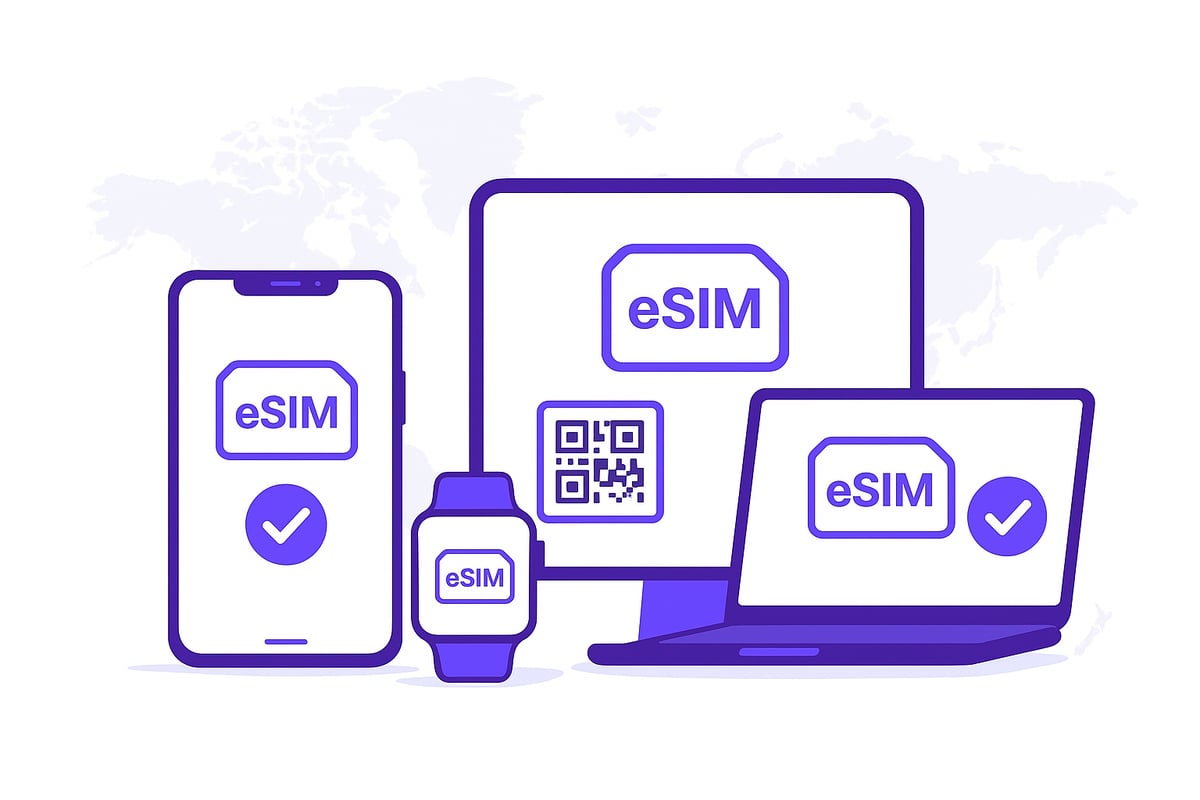
List of eSIM-Compatible Devices in 2026
The good news is that most travelers using e sim abroad in 2026 will find their devices ready for action. Nearly all new smartphones, tablets, and smartwatches now support eSIM technology. Check out the table below for a quick overview:
Device Type | Popular Models (2026) |
|---|---|
Smartphones | iPhone XR and newer, Samsung Galaxy S/Note/Flip, Google Pixel 7+ |
Tablets | iPad Pro/Air/Mini (2019+), Surface Pro X |
Smartwatches | Apple Watch Series 3+, Samsung Galaxy Watch, Pixel Watch |
Laptops | Select Surface, Lenovo, HP, Dell models |
For a comprehensive list, visit the eSIM-Compatible Devices List to double-check your model before your next e sim abroad trip.
Remember, device compatibility can vary, so it’s always wise to confirm before you go.
How to Check eSIM Compatibility on Your Device
Not sure if your phone or tablet is ready for e sim abroad? Here’s how you can check in just a few taps:
Open your device’s Settings.
Go to Cellular or Mobile Data.
Look for “Add eSIM” or “Add Cellular Plan.”
If you see this option, you’re good to go for e sim abroad!
For extra assurance, check your manufacturer’s support page. Also, make sure your device is unlocked, since locked devices may not work with international eSIMs. For example, on an iPhone, simply tap Settings, then Cellular, and look for the “Add eSIM” button.
If you have a Samsung, the process is similar under Network & Internet settings. This quick check can save you a lot of time and stress on your next e sim abroad adventure.
Setting Up eSIM on Different Devices
Once you’ve confirmed that your device works for e sim abroad, setup is a breeze. Here are the typical steps for popular devices:
iPhone: Go to Settings, tap Cellular, select Add Cellular Plan, and scan the QR code.
Android: Visit Settings, then Network & Internet, choose SIMs, and select Add eSIM.
iPad/Tablets: Open Settings, tap Cellular Data, and pick Add eSIM.
Smartwatches: Use the companion phone app or device settings to add your eSIM profile.
If you run into issues, try restarting your device, checking for software updates, or reaching out to your provider’s support team. With a little prep, your e sim abroad experience will be smooth and hassle-free.
Step-by-Step Guide: Setting Up and Using an eSIM Abroad
Traveling should be about adventure, not worrying about mobile data. This guide walks you through every step for using an e sim abroad, so you’re always connected and ready for anything.
Step 1: Prepare Before You Travel
Getting ready for e sim abroad starts at home. Research and purchase your eSIM plan ahead of time, ensuring it covers all your destinations. Double-check that your device supports eSIMs and is unlocked. Download the provider’s app, and keep your activation QR code or email safe. For peace of mind, install the eSIM profile before you leave. This means you’ll land and connect instantly, skipping lines at airport kiosks. For example, many travelers set up their eSIM at home and just tap to activate as soon as their plane touches down. Preparation is key to a smooth e sim abroad experience.
Step 2: Install and Activate Your eSIM
When you’re ready, go to your device’s settings and select “Add Cellular Plan” or “Add eSIM.” Scan your QR code or enter the activation info provided by your eSIM provider. Give your new eSIM profile a clear label like “Europe Trip” for easy management. Set it as your preferred data line, and decide if you want to use your primary SIM for calls or texts. For Android users, scanning the QR code and switching to local data is a breeze. Need more help? Check out this How to Set Up eSIM Abroad guide for clear, step-by-step visuals. With just a few taps, your e sim abroad is ready for action.
Step 3: Manage Data and Connectivity During Your Trip
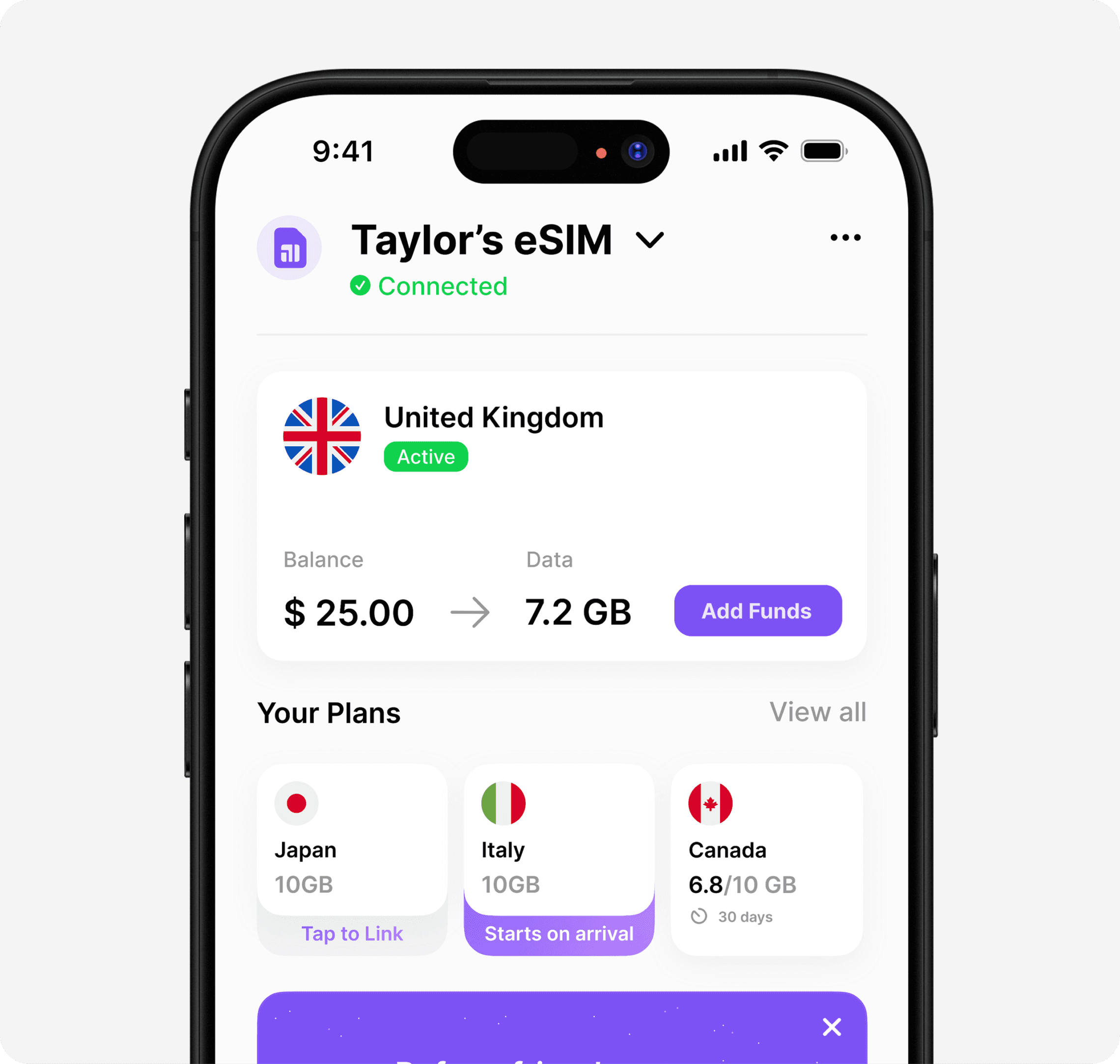
Keep an eye on your data usage using your device or provider’s app throughout your e sim abroad journey. Easily switch between eSIM profiles if you’re visiting multiple regions. Use your phone as a hotspot to keep laptops and tablets online, especially for work or streaming. If you run into issues like network selection or slow data, try troubleshooting or switching networks. Providers with 24/7 support are a lifesaver. For more troubleshooting tips, visit eSIM Troubleshooting and FAQs. Staying informed ensures your e sim abroad keeps you connected wherever you roam.
Step 4: Post-Trip: Disabling or Removing Your eSIM
Once your trip ends, you can simply turn off your eSIM profile or remove it from your device, depending on your needs. Many travelers keep their e sim abroad profile installed for future adventures, so there’s no need to repeat the setup process. Just remember to back up your activation info somewhere safe. This small step saves time and stress next time you travel. Keeping your e sim abroad ready means you’re always just one tap away from global connectivity.
Frequently Asked Questions About eSIMs for International Travel
Traveling with an e sim abroad can feel like stepping into the future – but even the most seasoned travelers have questions. Let’s clear up the most common concerns so you can explore with confidence and stay connected wherever you roam.
Top 5 eSIM Travel FAQs Answered
1. When should I install my eSIM? It’s best to install your e sim abroad before leaving home. Activate it as soon as you arrive so you can connect instantly.
2. Can I keep my regular number active? Yes, dual SIM devices let you keep your home number for calls and texts while using your e sim abroad for local data.
3. Is eSIM better than roaming? Absolutely. With an e sim abroad, you usually get local rates and avoid the high costs of traditional roaming.
4. Can I store multiple eSIMs? Modern devices support several eSIM profiles. You can easily switch between plans depending on your destination.
5. Do I need to remove my eSIM after travel? No need. Just disable the e sim abroad profile if you’re not using it, or keep it for your next adventure.
Troubleshooting Common eSIM Issues
Sometimes, things don’t go as planned with your e sim abroad. Here’s how to handle the most frequent hiccups:
If your eSIM fails to activate, check your network connection and restart your device.
Slow data speeds? Try selecting a different local network manually or review your plan’s data limits.
Compatibility errors often mean your device is locked or needs a software update. Make sure your phone is unlocked and running the latest OS.
If your main eSIM profile isn’t working, switch to a backup if you have one.
Support for e sim abroad is improving quickly, especially as eSIM adoption is on the rise thanks to travel and device compatibility.
Pro Tips for Hassle-Free eSIM Travel
Always double-check coverage for every country on your itinerary.
Have a backup plan, like a secondary e sim abroad or access to Wi-Fi.
Use your provider’s app to get real-time usage alerts.
Keep your eSIM activation details handy but safe.
Choose providers with top-rated support for peace of mind.
We’ve covered how eSIMs are changing the game for travel and how Umi makes staying connected effortless wherever you go. If you love the idea of installing your eSIM once and using it worldwide—no more SIM swaps or roaming surprises—you’ll want to see what else Umi can do for you. With flexible pay as you go and prepaid options, simple app management, and support for all your devices, it’s built for travelers like us who crave freedom and convenience. Ready to make your next trip a breeze? Explore Umi's features.












" height="15.96587083656648px" id="gUt8q3MIs" width="13.557999603271485px"/></svg>)